Malsou9a — Cybertek CTF
Scenario
A suspicious memory dump (malsou9a.dmp) was provided. The goal is to analyze it, identify the malware, understand its communication with a C2 server, and ultimately retrieve the hidden flag.
[!IMPORTANT]
Objective: Extract the malicious DLL from the memory dump, reverse its crypto configuration, interact with the C2 server, and chase the flag through a PDF payload and obfuscated JavaScript.
[!TIP]
Try it yourself! All challenge files are available on GitHub: aziz-haddadi/CyberTEK-2026
🔍 Investigation Process
Step 1: Identifying the Dump
Started by running file on the dump to understand the format:
file malsou9a.dmp
# malsou9a.dmp: Mini DuMP crash report, 17 streams, Sat Apr 25 10:33:39 2026, 0x621826 type
The file is a Windows Mini DuMP — a crash report containing a snapshot of a .NET process. Opened it in WinDbg as Administrator.
Step 2: Initial Analysis with WinDbg
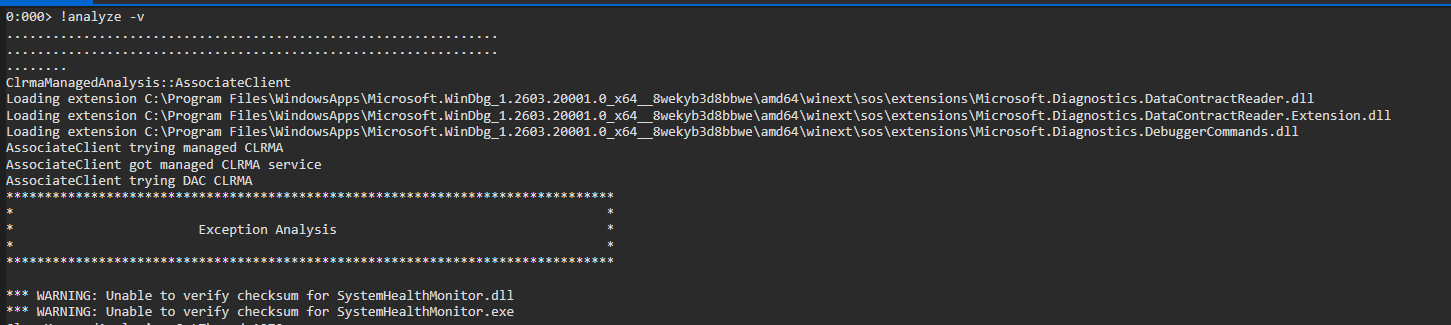
Ran !analyze -v inside WinDbg, which immediately flagged a suspicious DLL:
Suspicious DLL: SystemHealthMonitor.dll
Step 3: Dumping the AppDomain
Ran !dumpdomain to list all AppDomains loaded in the .NET process — this reveals all loaded assemblies including the malicious one:
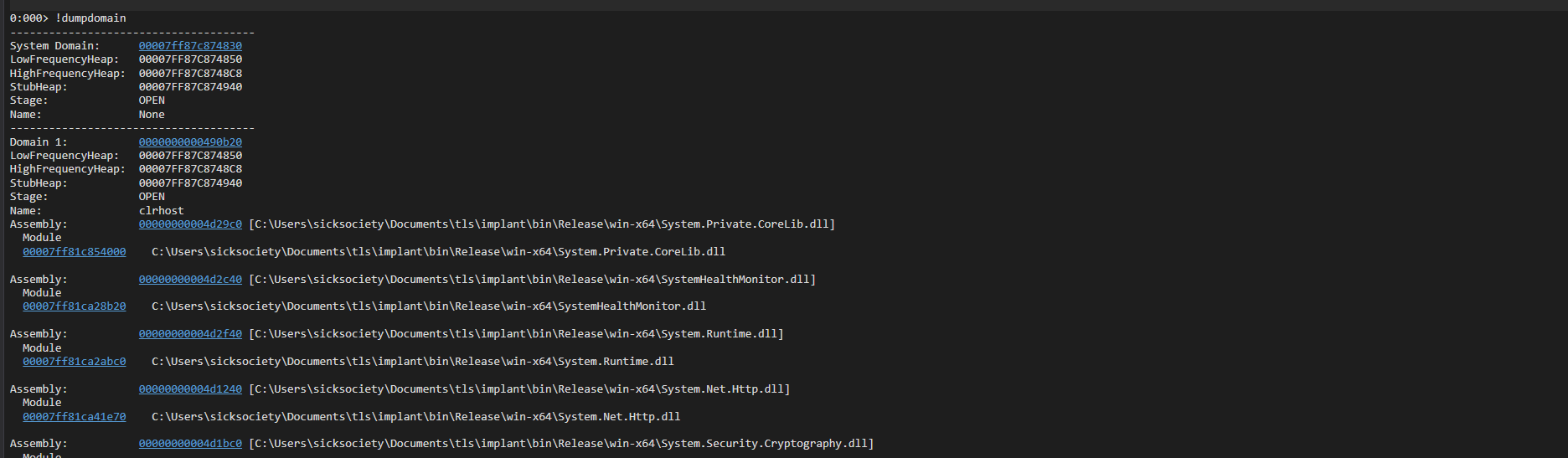
Used the address of SystemHealthMonitor.dll to extract it from the dump:

Step 4: Reversing the DLL with ILSpy
Opened the extracted DLL in ILSpy and inspected its classes:
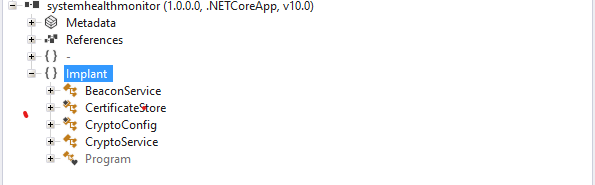
Found critical data in the CryptoConfig class — hardcoded AES key, IV, and an encoded C2 server URL:
public static class CryptoConfig
{
    public static readonly byte[] AES_KEY = new byte[32]
    {
        74, 63, 46, 29, 92, 107, 122, 137, 144, 171,
        188, 205, 222, 238, 240, 1, 18, 35, 52, 69,
        86, 103, 120, 137, 154, 171, 188, 205, 222, 239,
        240, 17
    };

    public static readonly byte[] AES_IV = new byte[16]
    {
        170, 187, 204, 221, 238, 255, 0, 17, 34, 51,
        68, 85, 102, 119, 136, 153
    };

    private static readonly byte[] C2_SERVER_BYTES = new byte[27]
    {
        104, 116, 116, 112, 115, 58, 47, 47, 115, 105,
        99, 107, 116, 114, 97, 115, 104, 46, 109, 101,
        47, 98, 101, 97, 99, 111, 110
    };

    public static readonly string C2_SERVER = DecodeC2Server();
    // Decodes to: https://sicktrash.me/beacon
}
The CryptoService class revealed simple AES-CBC + Base64 encrypt/decrypt methods used to communicate with the C2 server.
[!NOTE]
The C2 serverhttps://sicktrash.me/beacondecodes directly from the byte array usingEncoding.ASCII.GetString().
Step 5: Bypassing mTLS on the C2 Server
Navigating to https://sicktrash.me/beacon returned:
400 Bad Request — No required SSL certificate was sent
The server requires mutual TLS (mTLS) — a client certificate. Went back to ILSpy and found both an SSL client certificate and a private RSA key hardcoded in the CertificateStore class.
Verified the key matches the certificate using OpenSSL:
openssl rsa -noout -modulus -in private.key | openssl md5
# MD5(stdin)= 020583033dffa71037d530b674e62f95

openssl x509 -noout -modulus -in certificate.crt | openssl md5
# MD5(stdin)= 020583033dffa71037d530b674e62f95
✅ Both hashes match — the private key corresponds to the certificate.
Combined them into a PKCS#12 (.p12) file for browser import:
openssl pkcs12 -export -out certificate.p12 -inkey private.key -in cert.crt
Imported the .p12 into the browser — the C2 server now responds correctly.
Step 6: Interacting with the C2 /beacon Endpoint
The DLL source showed that /beacon sends a plaintext string, receives an AES+Base64 encrypted response, and decodes it. Used Burp Suite to craft POST requests.
Sent mojo-jojo (Base64 + AES encrypted) as the body. After several requests, the server returned a long Base64 string. After decryption:
{"cmd":"exfil","target":"https://bahlous.blob.core.windows.net/notaflag/challenge.pdf?sp=r&st=2026-05-02T01:12:49Z&se=2026-05-05T09:27:49Z&spr=https&sv=2025-11-05&sr=c&sig=MOCVxtmvyq9wzbRqEh9tP8PQguxaIexfJ85ljCkLRaU%3D"}
Downloaded challenge.pdf from the Azure Blob Storage URL.
Step 7: Analyzing the PDF with peepdf
python2 peepdf.py -i -f ../challenge.pdf
File: challenge.pdf
MD5: 1e327f93b79bb5df02c8036f24243a5c
SHA256: d10a170e8f8c23cf13a07690c080a6ec9582fa737c08283901d0863c25530078
Version: 1.5 | Objects: 16 | Streams: 5

Suspicious elements:
    /OpenAction (1): [3]
    /JS (1): [3]
    /JavaScript (1): [3]
[!WARNING]
The PDF has an auto-executing JavaScript payload embedded in object 3 via/OpenAction.
Extracted object 3:
PPDF> object 3
Found heavily obfuscated JavaScript — a classic string array shuffler + XOR-based string decoder pattern.
Step 8: Deobfuscating the JavaScript
Cleaned up the obfuscated JS. Key findings after deobfuscation:
- Uses
@azure/storage-blobSDK - Two encrypted variables
var1andvar2decoded with XOR key0xee - Constructs a full Azure Blob SAS URL:
_0x3cbe15 + '?' + _0xb36e42 - Attempts to check if
flag.txtexists in the container
const _0xb36e42 = decrypt(var1, 0xee);  // SAS token
const _0x3cbe15 = decrypt(var2, 0xee);  // Base URL
const _0x3776a1 = _0x3cbe15 + '?' + _0xb36e42;
// → Full Azure Blob SAS URL
The console.log was being suppressed by the obfuscator's anti-debug wrapper, so created a custom alias to bypass it:
const mojo = console.log.bind(console);
mojo(_0x3776a1);
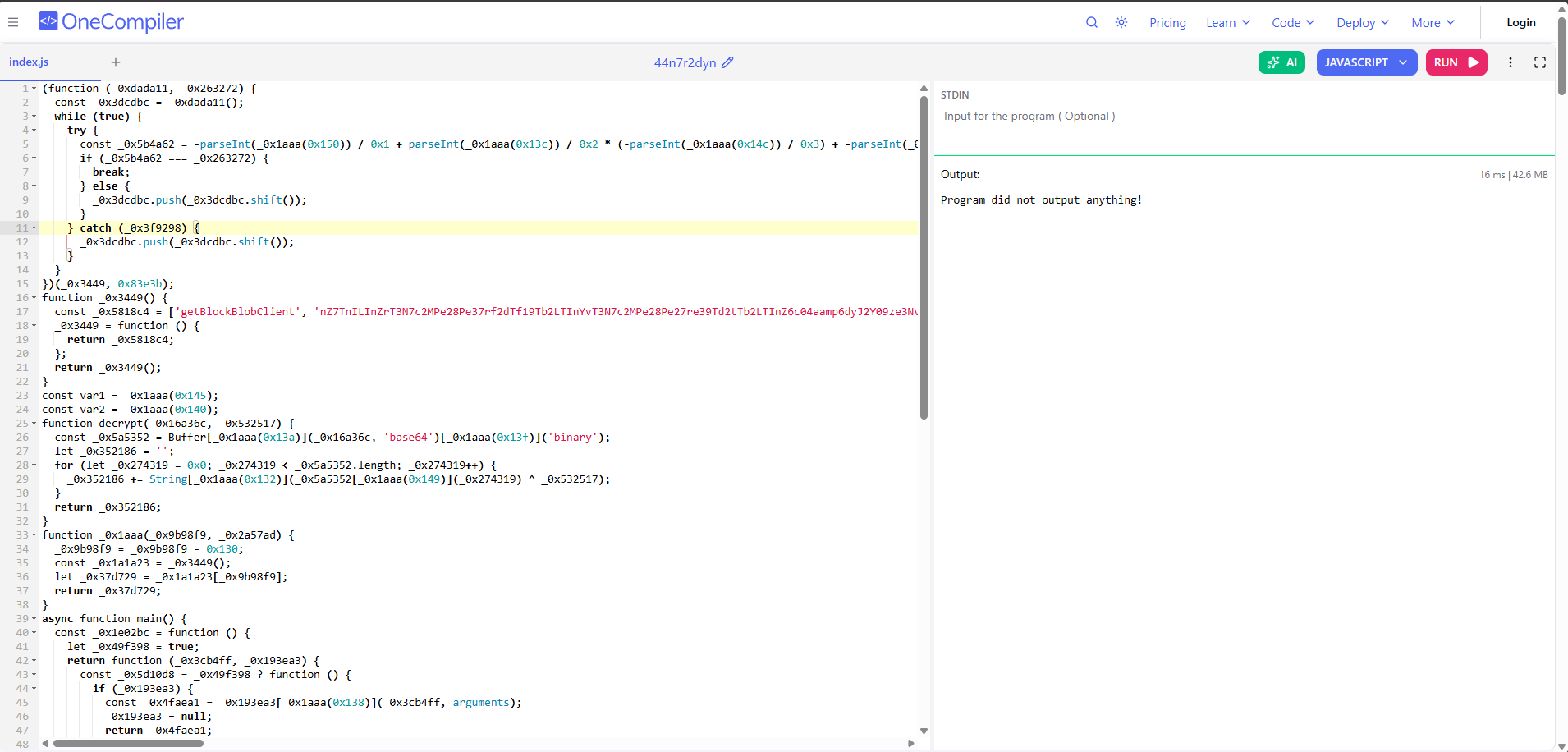
Output:
https://bahlous.blob.core.windows.net/bahlous?sp=rl&st=2026-05-01T17:19:56Z&se=2026-05-05T01:34:56Z&spr=https&sv=2025-11-05&sr=c&sig=7XapITAZyB7GUv7%2Fir4KDTvAQ%2BnXk9TpVdCU33ELpss%3D
Step 9: Retrieving the Flag
The URL points to the bahlous container with a SAS token that grants read+list. The container name matches the blob name — appending /flag.txt:
CyberTEK{c2_m4k3_y0u_81u3_pdf_83_4_ch3f_4dd_715_17_w111_83_4_m355}
🎉 Flag retrieved!
📌 Attack Chain Summary
Memory Dump (.dmp)
    └─▶ WinDbg !analyze → Suspicious DLL: SystemHealthMonitor.dll
            └─▶ !dumpdomain → Extract DLL address
                    └─▶ ILSpy → AES Key/IV + C2 URL + mTLS certificate
                            └─▶ C2 (https://sicktrash.me/beacon) → Exfil command → challenge.pdf URL
                                    └─▶ peepdf → Obfuscated JS in /OpenAction
                                            └─▶ Deobfuscate → Azure SAS URL → flag.txt
🛠️ Tools Used
| Tool | Purpose |
|---|---|
| WinDbg | Memory dump analysis, DLL extraction |
| ILSpy | .NET DLL decompilation / reverse engineering |
| OpenSSL | RSA key + certificate verification, PKCS#12 creation |
| Burp Suite | C2 HTTP request interception & manipulation |
| peepdf | PDF structure analysis & JS extraction |
| Browser DevTools | JavaScript deobfuscation & execution |